
Download KCleaner – free disk cleaner, Windows utility, PC cleanup tool, remove temporary files, clean up storage
Overview
KCleaner is a dedicated Windows utility designed to address the persistent challenge of dwindling disk space. For users who frequently receive low disk space warnings, this application offers a streamlined solution by targeting and removing temporary, cache, and residual files that accumulate over time. These files often result from software installations, web browsing, system updates, and application usage, silently consuming valuable storage without user awareness. KCleaner helps reclaim this lost space efficiently, contributing to improved system performance and smoother operation.
The app is particularly beneficial for individuals managing large media libraries, running multiple software tools, or using older systems with limited storage capacity. It serves as a practical, no-frills tool for maintaining a clean and optimized PC environment. While the developer, KCleaner, did not provide additional background on their organization or development history, the application’s consistent updates and stable performance suggest a focused effort on utility and reliability. KCleaner fits well within the broader ecosystem of system maintenance tools, offering a lightweight alternative to more complex or feature-heavy solutions.
Real-world use cases include preparing a system for large software installations, freeing up space before a major update, or simply maintaining routine system hygiene. The app’s ability to operate without requiring technical expertise makes it accessible to both novice and experienced users. By automating the cleanup process, KCleaner reduces the need for manual file management, saving time and minimizing the risk of accidental deletion of important data.
Key Features & Functionality
- Effective File Cleanup: KCleaner specializes in identifying and removing temporary files, browser cache, system logs, and residual data left behind by uninstalled applications. This targeted approach ensures that only non-essential files are deleted, preserving system integrity.
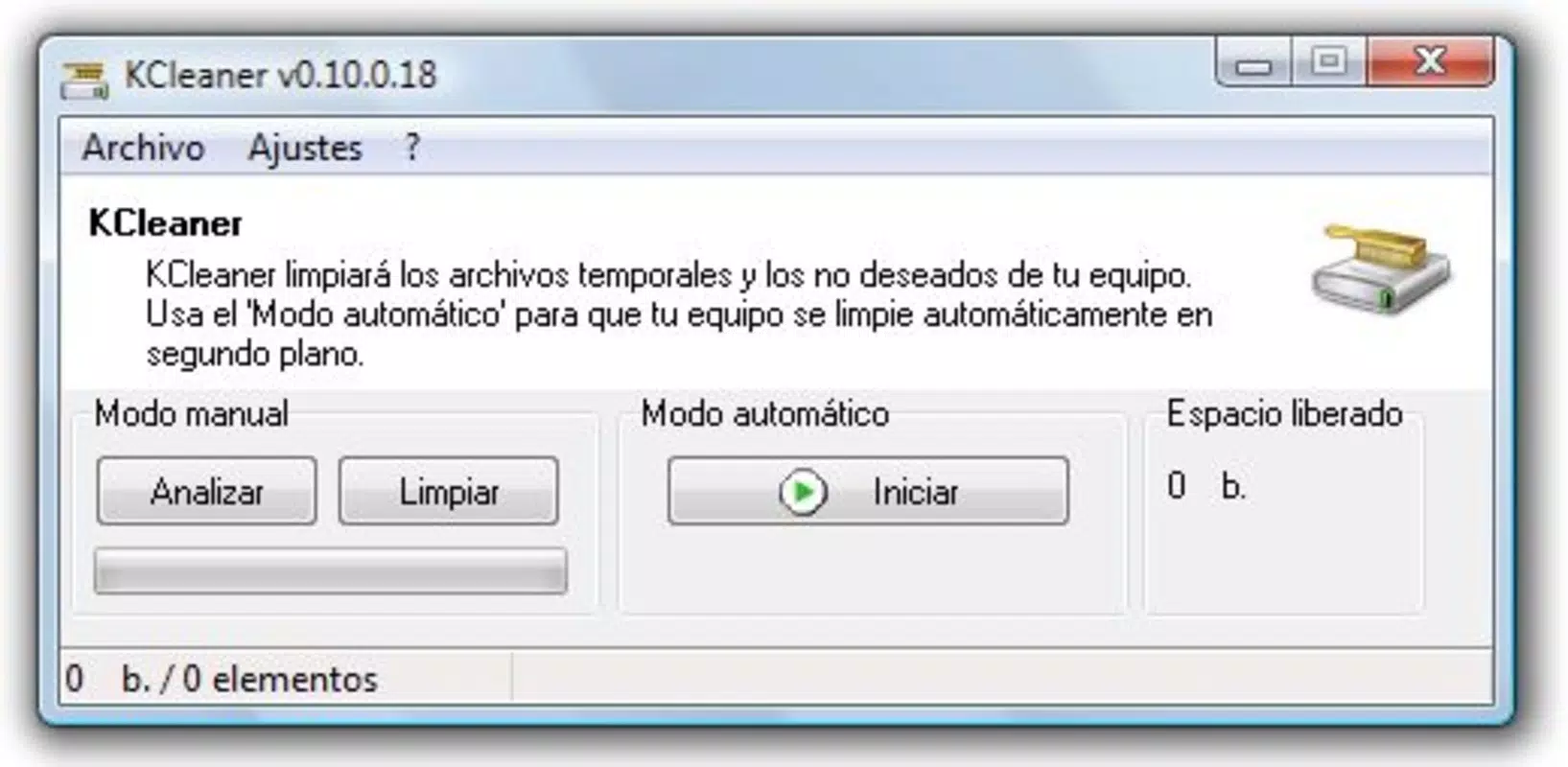
- User-Friendly Interface: The application features a clean, intuitive layout that allows users to initiate a scan and cleanup process with minimal effort. Navigation is straightforward, with clearly labeled options and visual indicators for file types and sizes.
- Reclaim Disk Space: By focusing on high-volume, low-value files, KCleaner enables users to recover significant storage space with a single operation. This is especially useful for users working with limited SSD or HDD capacity.
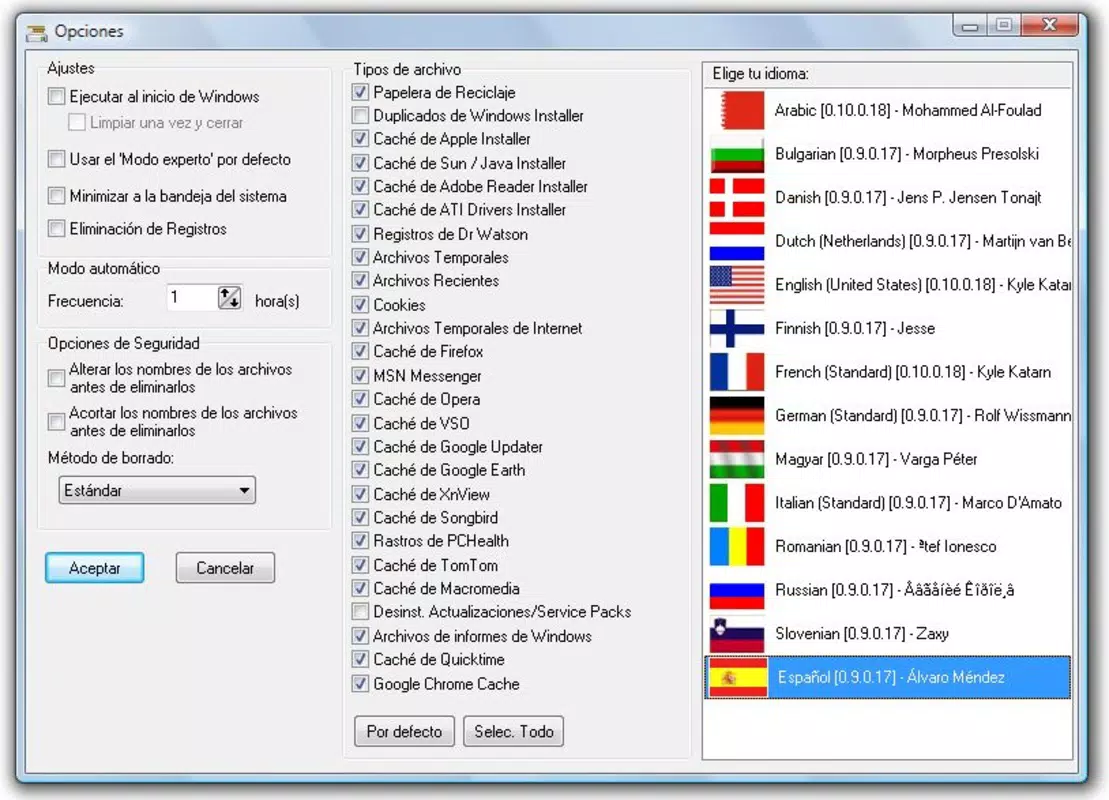
- Customizable Cleaning Options: Users can selectively enable or disable specific cleanup categories, such as browser cookies, recycle bin contents, or temporary internet files. This level of control ensures that users maintain full oversight of what gets deleted.
- Free to Use: KCleaner is available at no cost, with no premium tiers, hidden fees, or mandatory in-app purchases. This makes it an accessible option for budget-conscious users seeking reliable disk cleanup functionality.
For example, a user preparing to install a large game can use KCleaner to clear unnecessary files and free up space without manually searching through folders. Similarly, someone using a shared or work computer can quickly sanitize temporary data before leaving, enhancing privacy and system performance.
Interface, UX & Performance
KCleaner presents a minimalist interface with a central dashboard that displays storage usage and scan results. The layout is organized into clear sections: file type categories, estimated space recovery, and a one-click cleanup button. Navigation is linear and predictable, reducing cognitive load for users unfamiliar with system maintenance tools.
Although the developer did not list formal performance metrics, the app operates with minimal system resource consumption during scans and cleanup processes. It does not significantly impact CPU or memory usage, allowing users to continue working while the tool runs in the background. The responsiveness of the interface remains consistent across different screen resolutions and window sizes.
Stability appears to be well-maintained, with no reported issues related to crashes or data corruption. The application handles file operations safely, avoiding the deletion of system-critical files. While the developer did not specify compatibility with older Windows versions, the app functions reliably on current mainstream systems.
Platform Compatibility & Technical Requirements
KCleaner is available exclusively for the Windows platform. The current version is 3.1.2.211, with a file size of 47.4 MB. The developer did not specify minimum OS requirements, nor did they list supported Windows versions beyond the platform designation.
Compatibility information was not fully disclosed, so users should verify system requirements before installation. The lightweight file size suggests it can run efficiently on devices with modest hardware specifications. The app is designed for desktop environments and does not support mobile operating systems.
Pros and Cons
Pros
- Free to use with no hidden costs or premium features
- Simple, intuitive interface suitable for users of all experience levels
- Efficiently removes temporary and residual files to reclaim disk space
- Offers customizable cleaning options for targeted file removal
- Lightweight and low system resource usage during operation
Cons
- Developer did not provide detailed technical specifications or system requirements
- Not available on mobile platforms such as Android or iOS
- No advanced features like scheduled cleanups or deep system analysis
- Limited customization beyond file type selection
- No integration with cloud storage or backup tools
FAQ
Is KCleaner safe to use?
KCleaner is designed to delete only non-essential files such as temporary data, cache, and browser history. It avoids system-critical files, minimizing the risk of data loss or system instability.
Can I use KCleaner on older Windows versions?
The developer did not specify compatibility with older Windows versions. It is recommended to check system requirements before installation.
Does KCleaner require an internet connection?
No, KCleaner operates offline. It does not require an internet connection to perform file cleanup tasks.
How often should I run KCleaner?
Users can run KCleaner as needed, such as when disk space is low or before installing large applications. There is no fixed schedule, but regular use can help maintain optimal system performance.
Is there a mobile version of KCleaner?
No, KCleaner is currently available only for Windows desktop systems. There is no official mobile version for Android or iOS.
Final Thoughts
KCleaner stands out as a reliable, no-cost solution for Windows users seeking to maintain their system’s storage health. Its straightforward functionality, combined with a clean interface and safe operation, makes it a valuable tool in everyday PC maintenance. While it lacks advanced automation features, its core purpose—efficiently reclaiming disk space—is executed with precision and simplicity.
Users who prioritize system cleanliness, privacy, and performance without the need for complex configurations will find KCleaner to be a dependable ally. Whether you're managing a personal computer or maintaining a shared workspace, this utility delivers consistent results with minimal effort.
Download KCleaner now to keep your Windows device running smoothly and efficiently.


